
Mynt Core & Enterprise – How to Edit Your Kiosk Order Flow
This Is a step-by-step guide on how to edit your Kiosk order flow in Mynt.
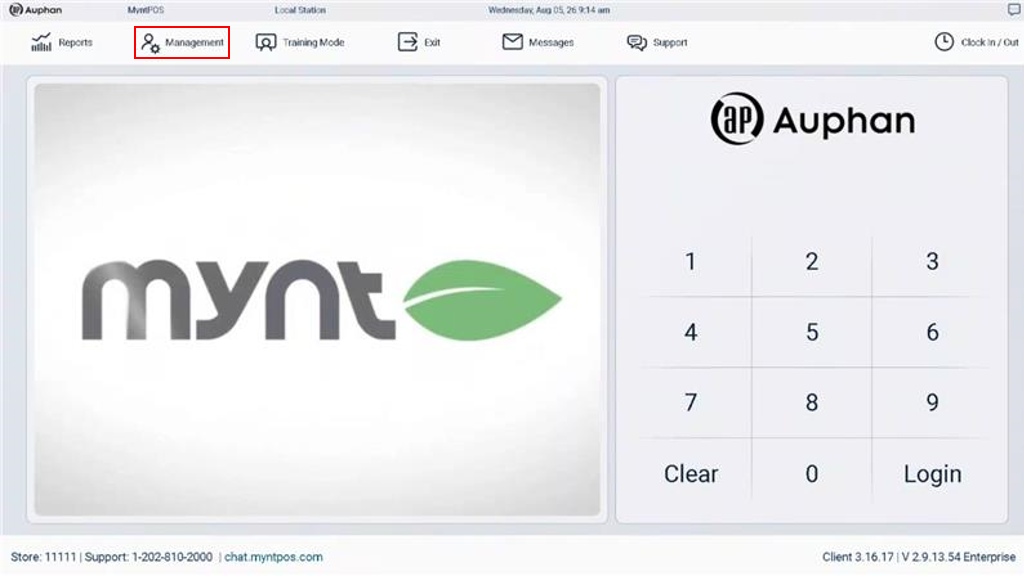
- Open “Management” through the login screen.
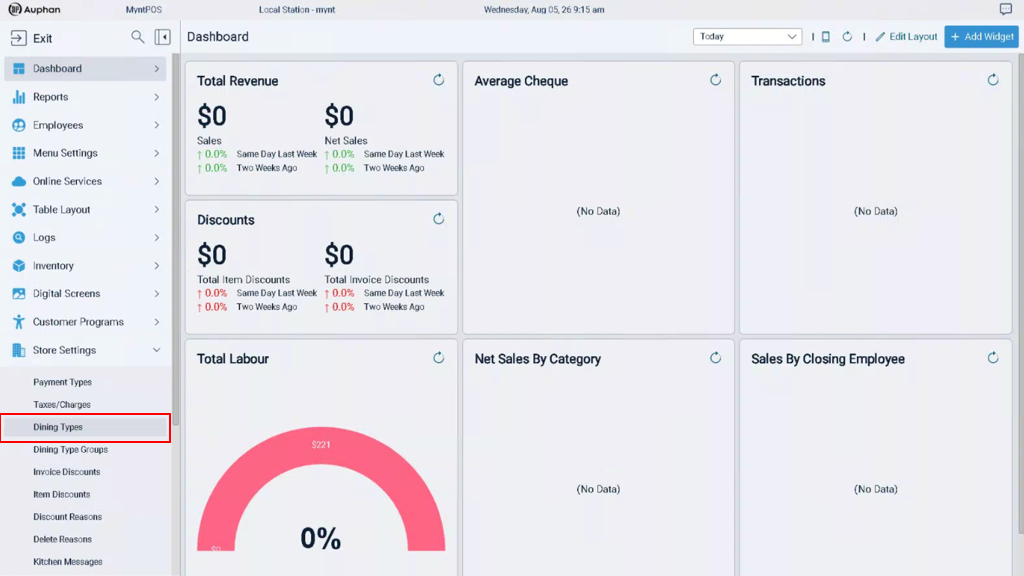
Navigate to “Dining Types” under “Store Settings”.
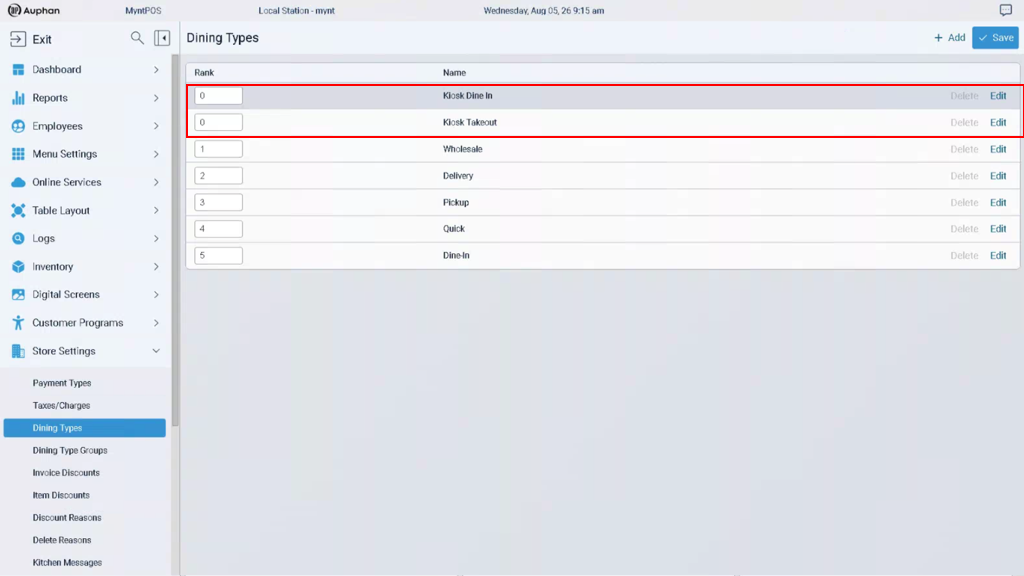
Kiosks use the “Kiosk Dine In” and “Kiosk Takeout” Dining Types, depending on the option chosen by the customer.
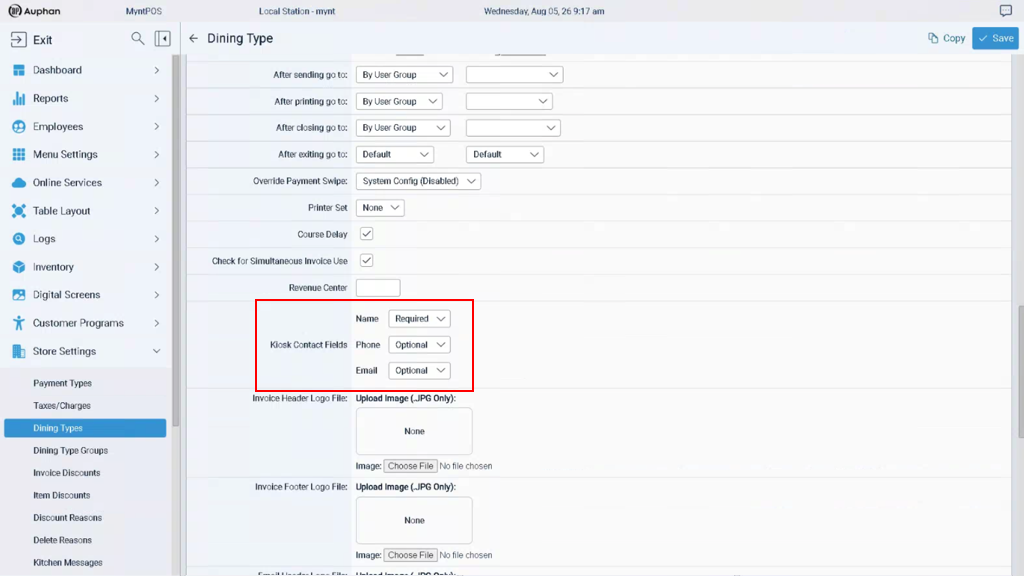
There are many configurations you can edit for Dining Types, but the most important consideration for Kiosks specifically will be the “Kiosk Contact Fields”. These determine the information the customer will be prompted to enter when an order is placed.
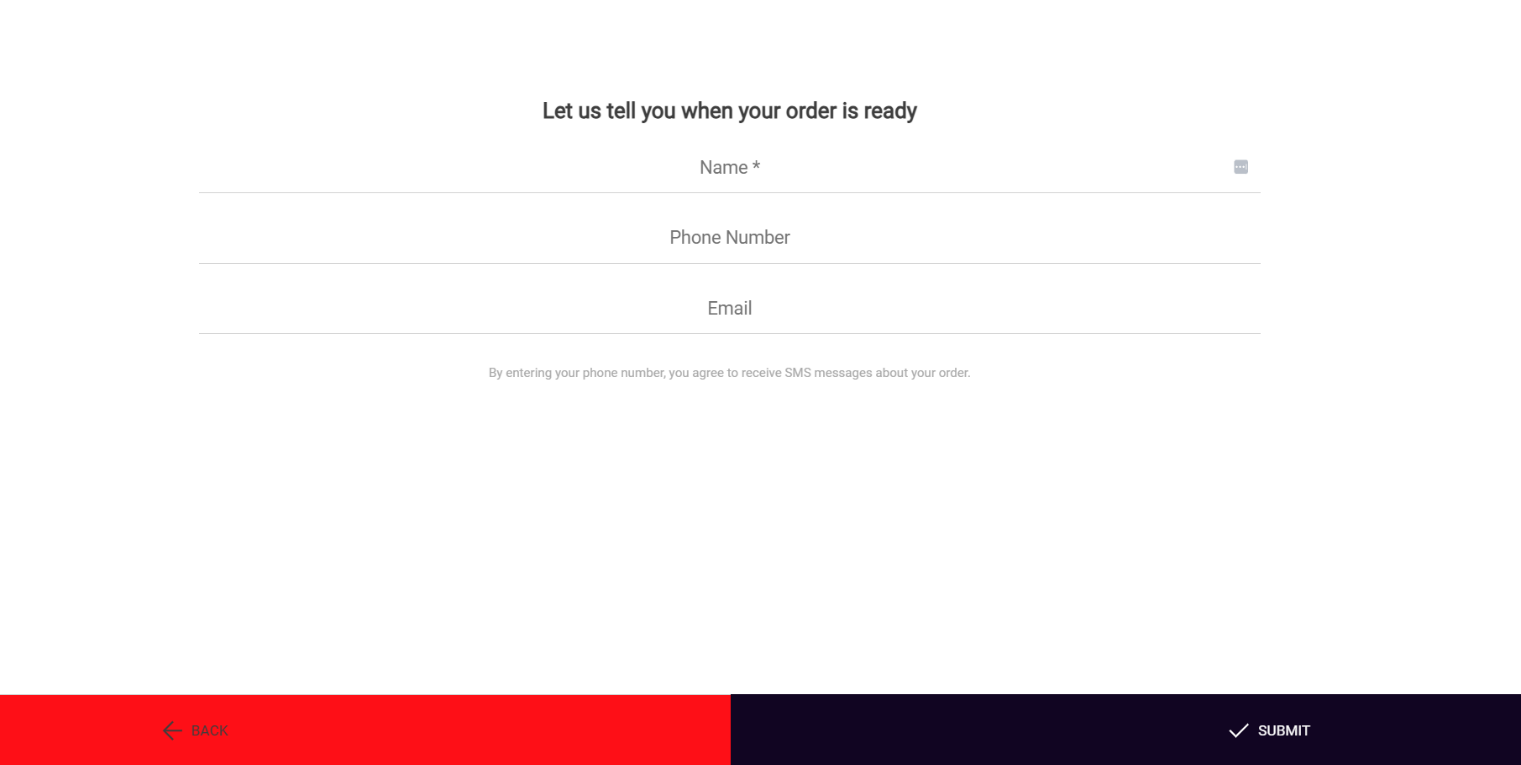
IMPORTANT NOTE: Ensure the proper Contact Fields are set for both “Kiosk Dine In” and “Kiosk Takeout” respectively.
How to configure your workflow in Mynt.

