
Mynt Core & Enterprise – How to Edit Your Kiosk Theme
This Is a step-by-step guide on how to edit your Kiosk theme in Mynt.
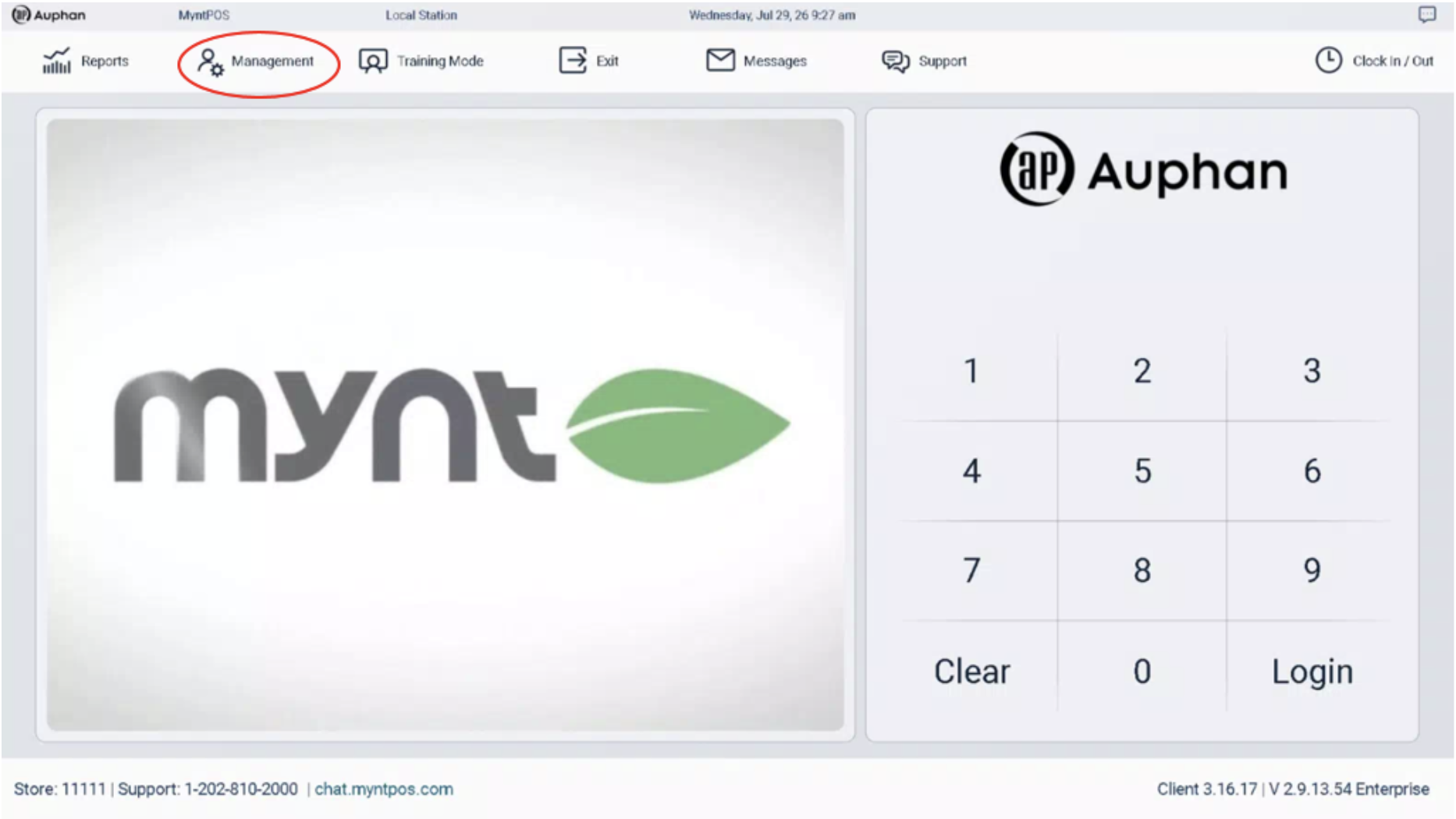
Enter “Management” from the Login Screen.
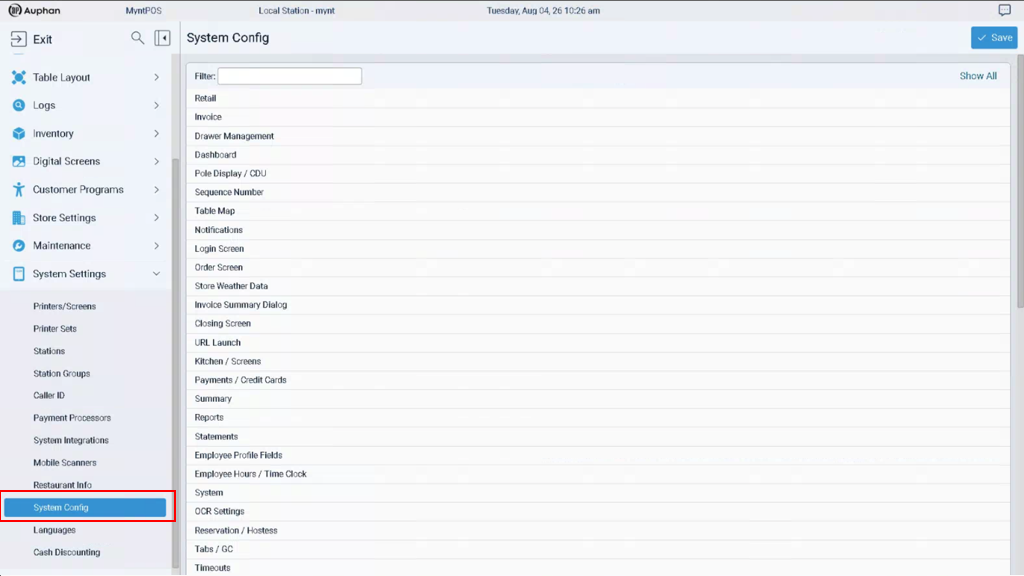
Scroll down to “System Config” under “System Settings ”.
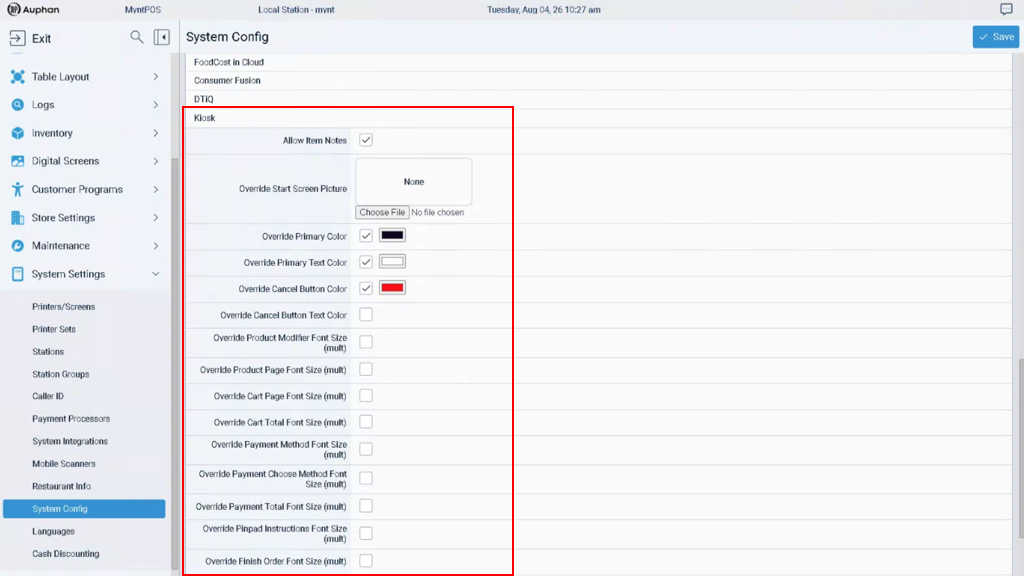
Navigate to the “Kiosk” tab.
There are many visual configurations we can make in this screen. The main ones to pay attention to are:
- Override Start Screen Picture
- Override Primary Color
- Override Primary Text Color
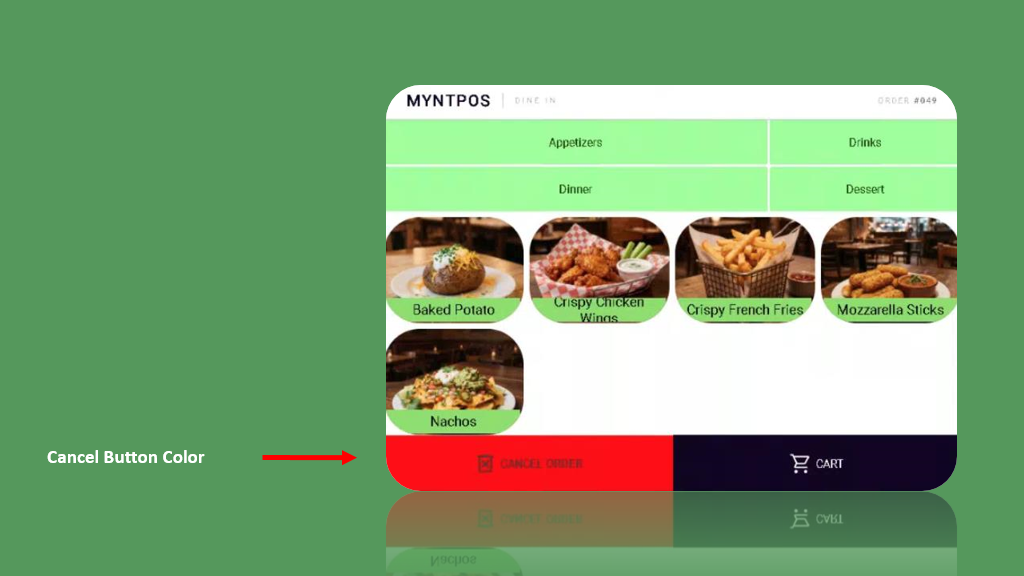
- Override Cancel Button Color
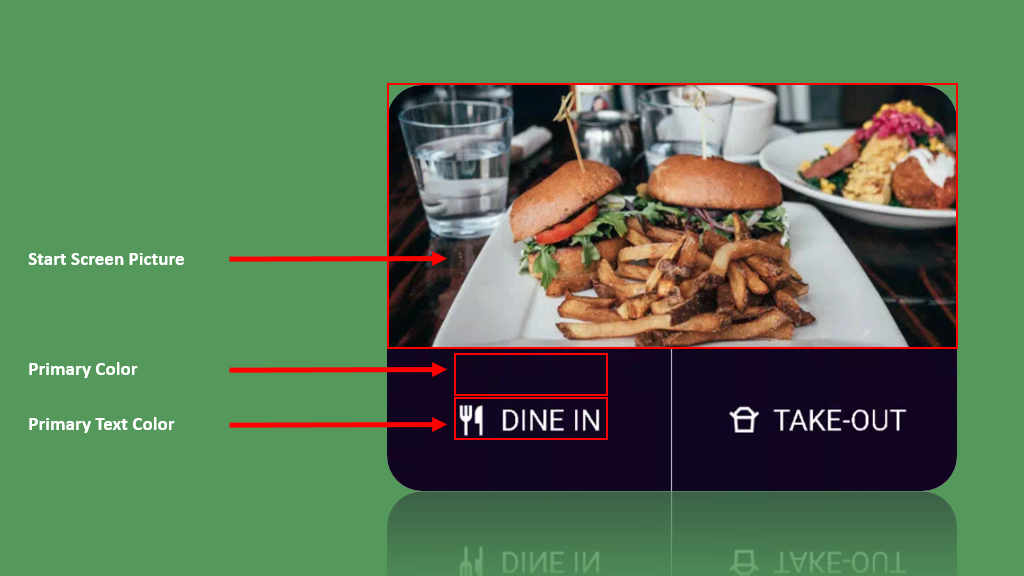
IMPORTANT NOTE: Visuals are extremely important for the overall feel of a Kiosk system. We encourage experimentation to figure out the theme that best represents your business.
How to Edit Your Kiosk Menu Visuals

