
How to Refund an Invoice – Mynt Core & Enterprise
This is a step-by-step guide on how to refund a customer in Mynt.
If you need to refund an entire invoice, start by copying the invoice in question.
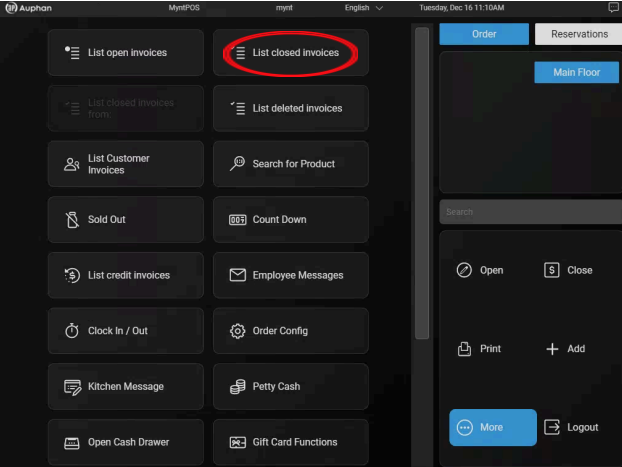 Go to “List closed invoices.”
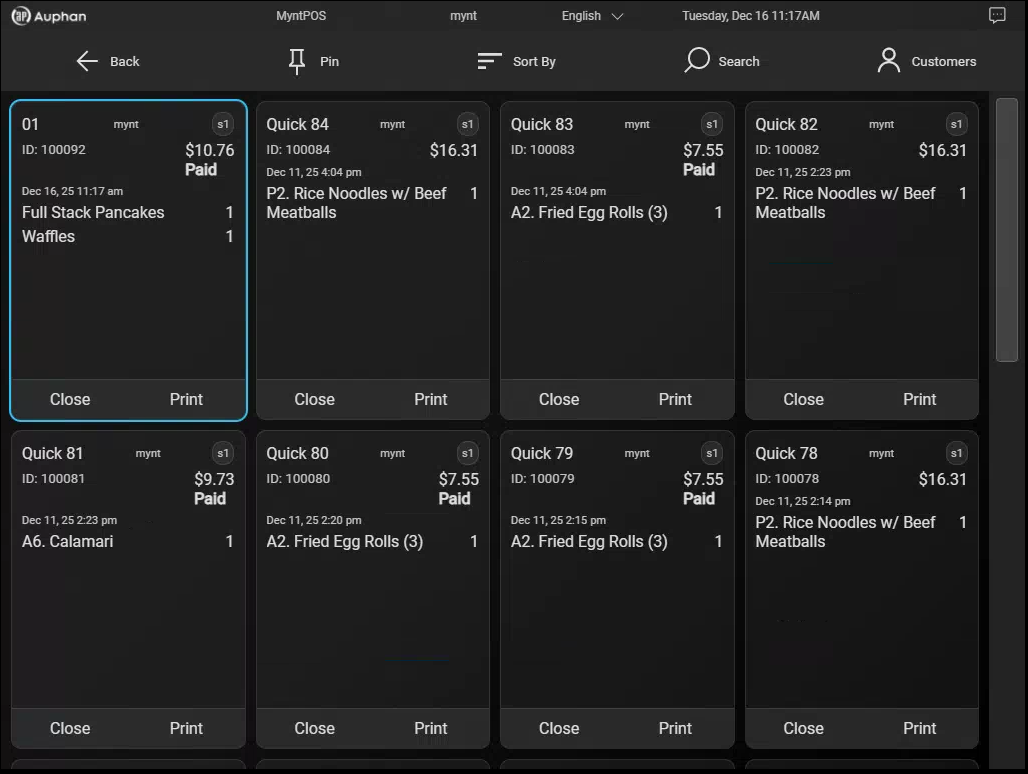 Select the invoice to be refunded.
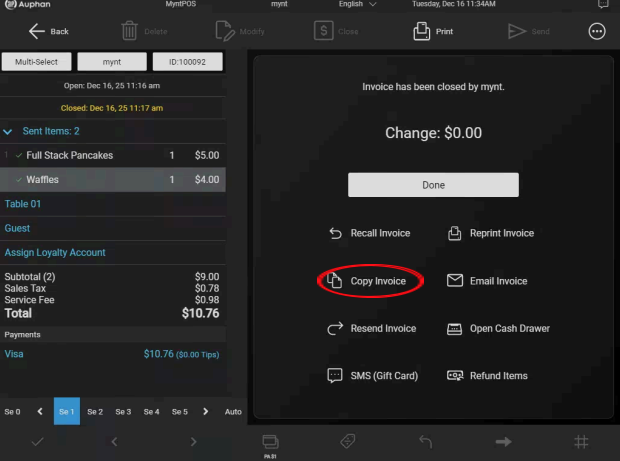 If Table Service mode is used, this will bring up the table map where you can copy this new invoice. Select a table to copy the invoice.
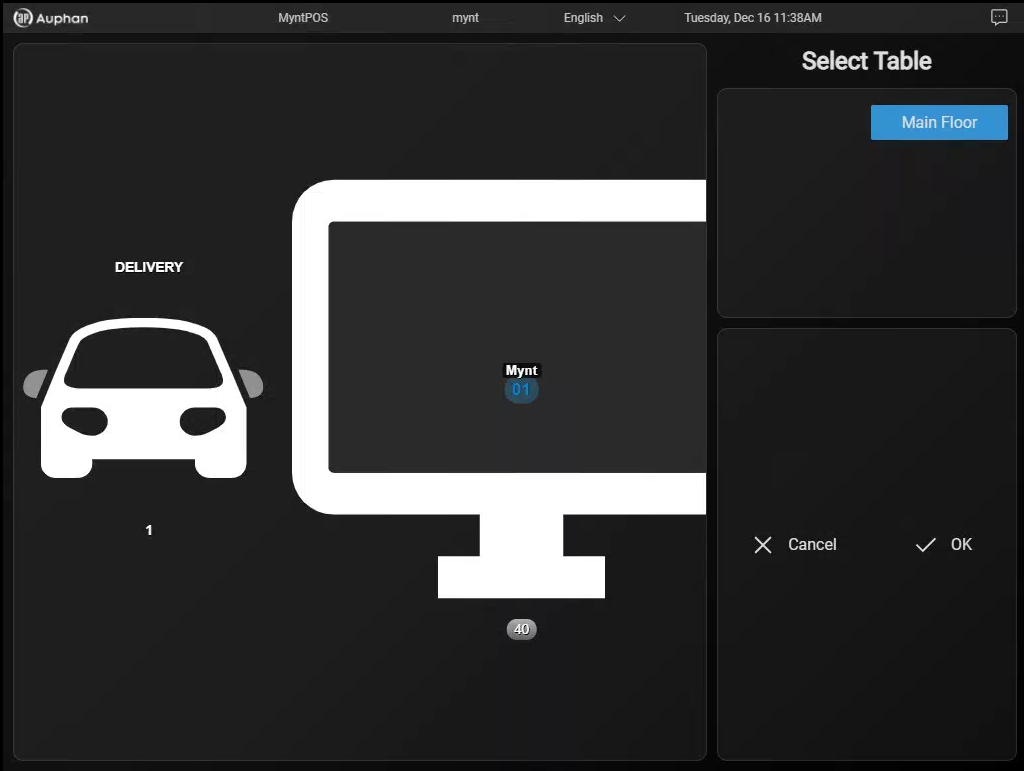 Select the table.
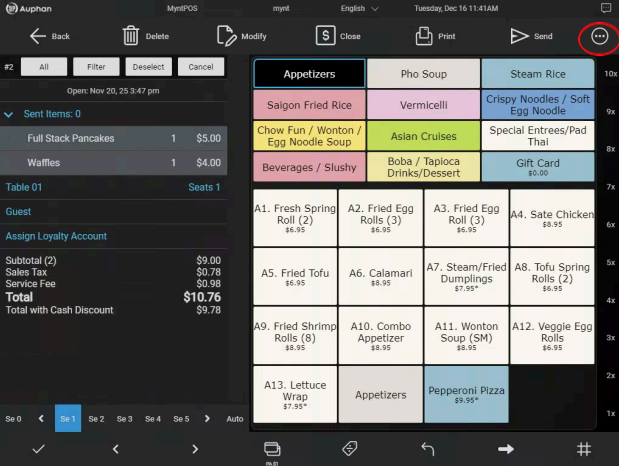 Open the “More” menu (Three Dots).
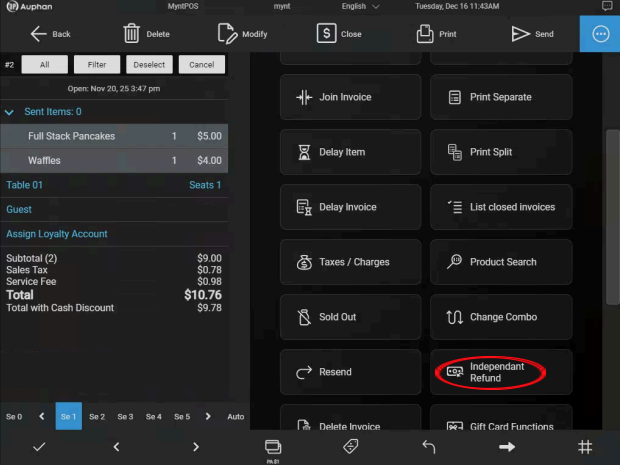 Select “Independent Refund”.
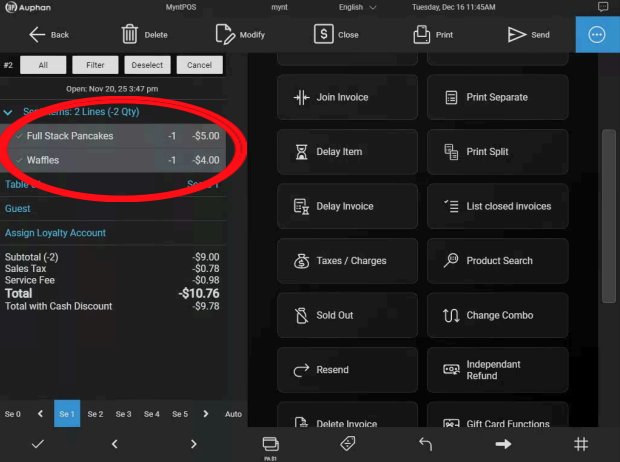 After selecting “Independent Refund”, the items will become negative, changing the invoice total. Negative prices will refund money to the customer’s card.
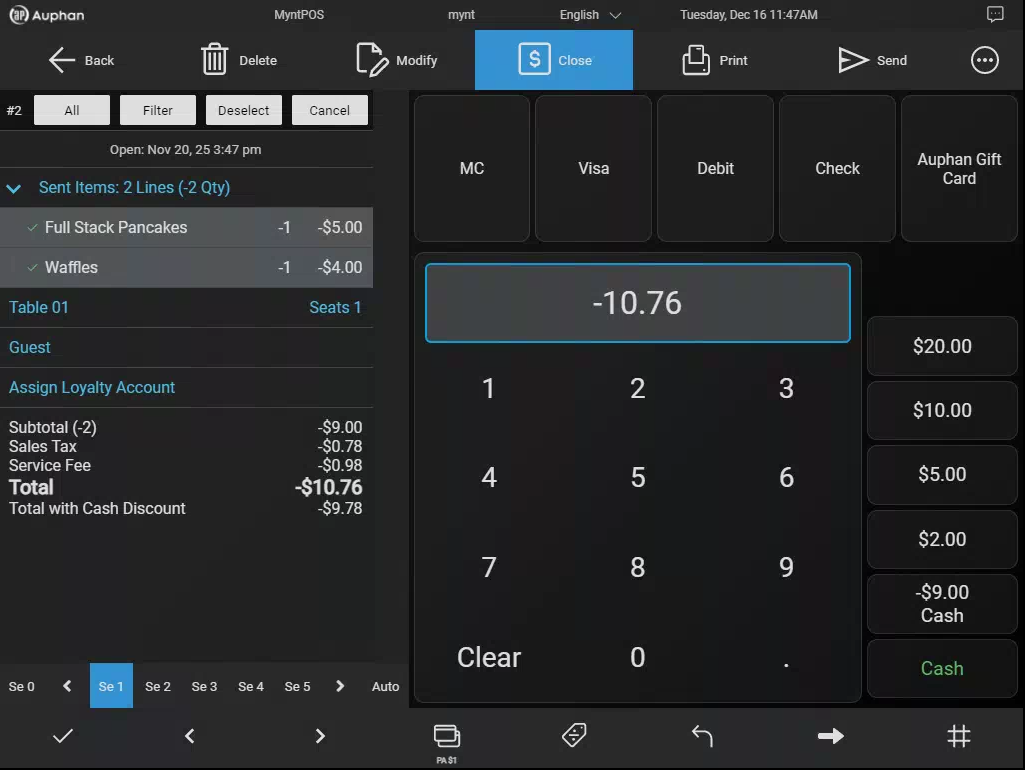
From here, close the invoice out as normal, and the negative amount will be refunded.

