
From the payment screen, click on the Discount button near the top left corner.
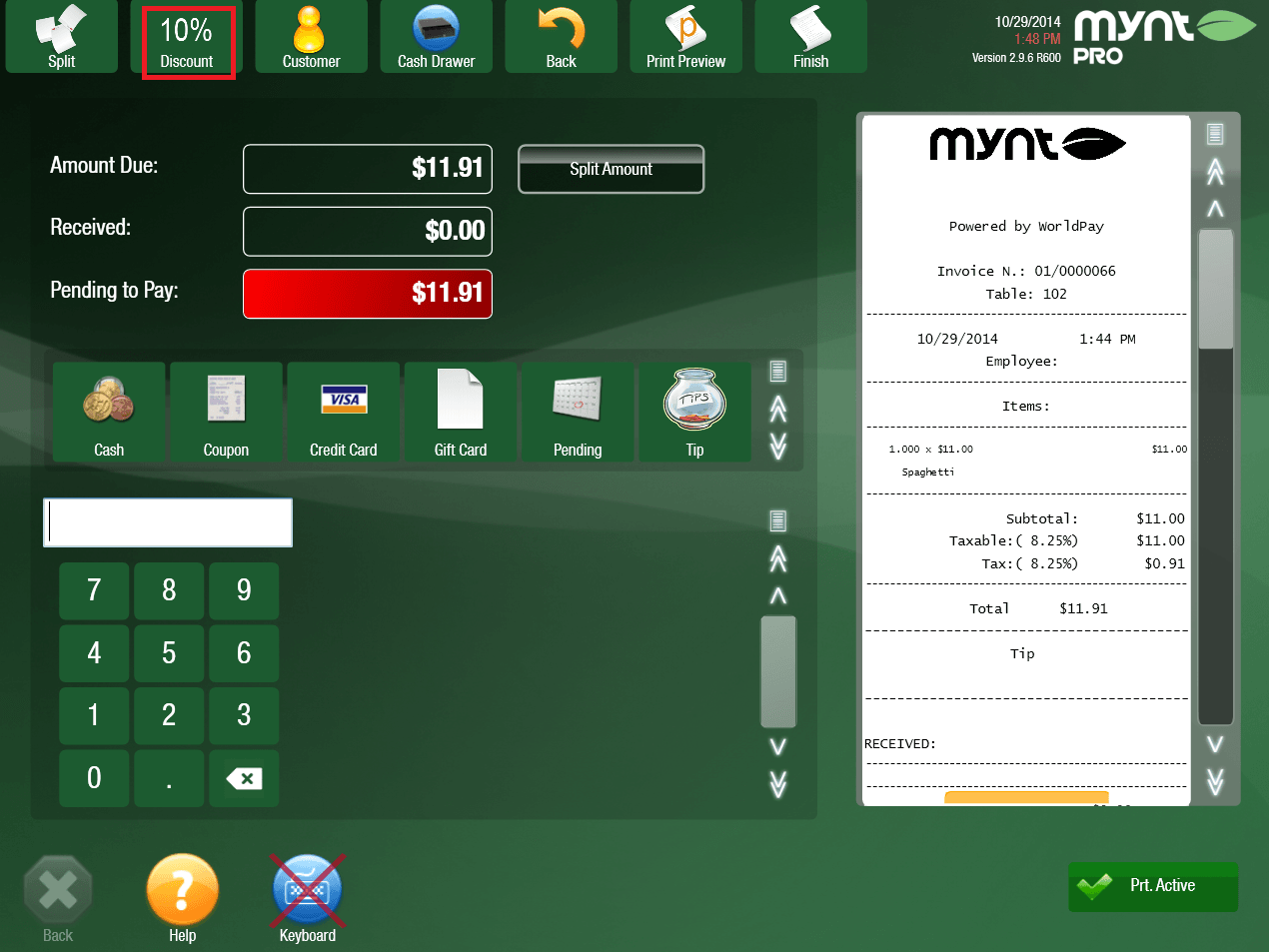
This will open up the Discounts List.
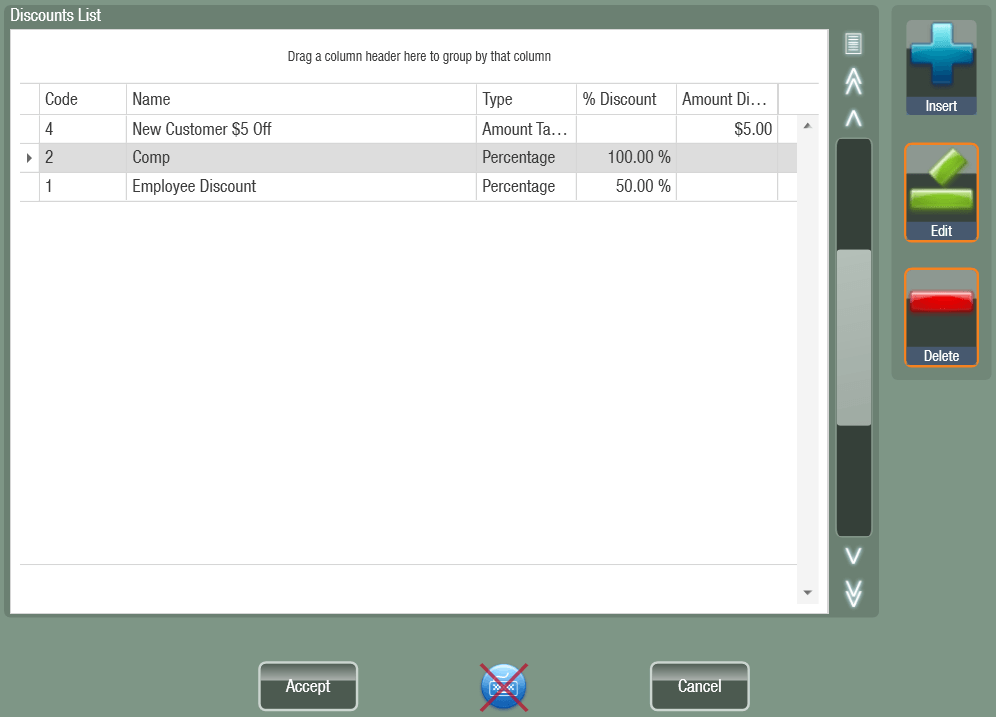
To use one of the discounts, click on the discount and then click Accept. This will bring you back to the payment screen with the discount applied.
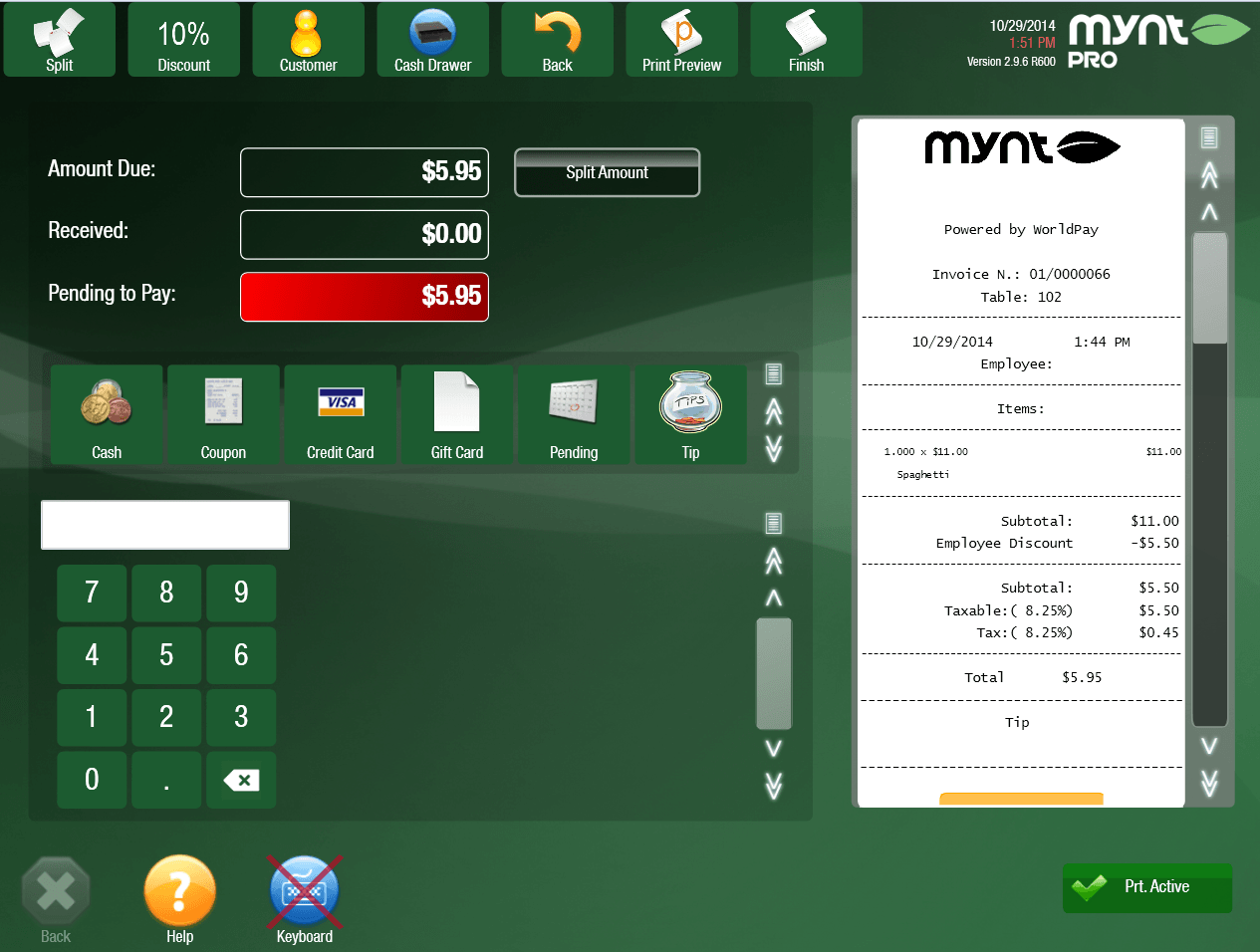
To remove a discount from a check, click the Discount button at the top of the screen, and then click Cancel in the window that opens up.
To use discounts they must be setup in Discount Management, for directions on creating discounts, see this page.