
Vendor Management
Mynt Retail
This Is a step-by-step guide on how to manage vendors in Mynt Retail.
Open the Backend Portal, and navigate to Inventory > Vendors.
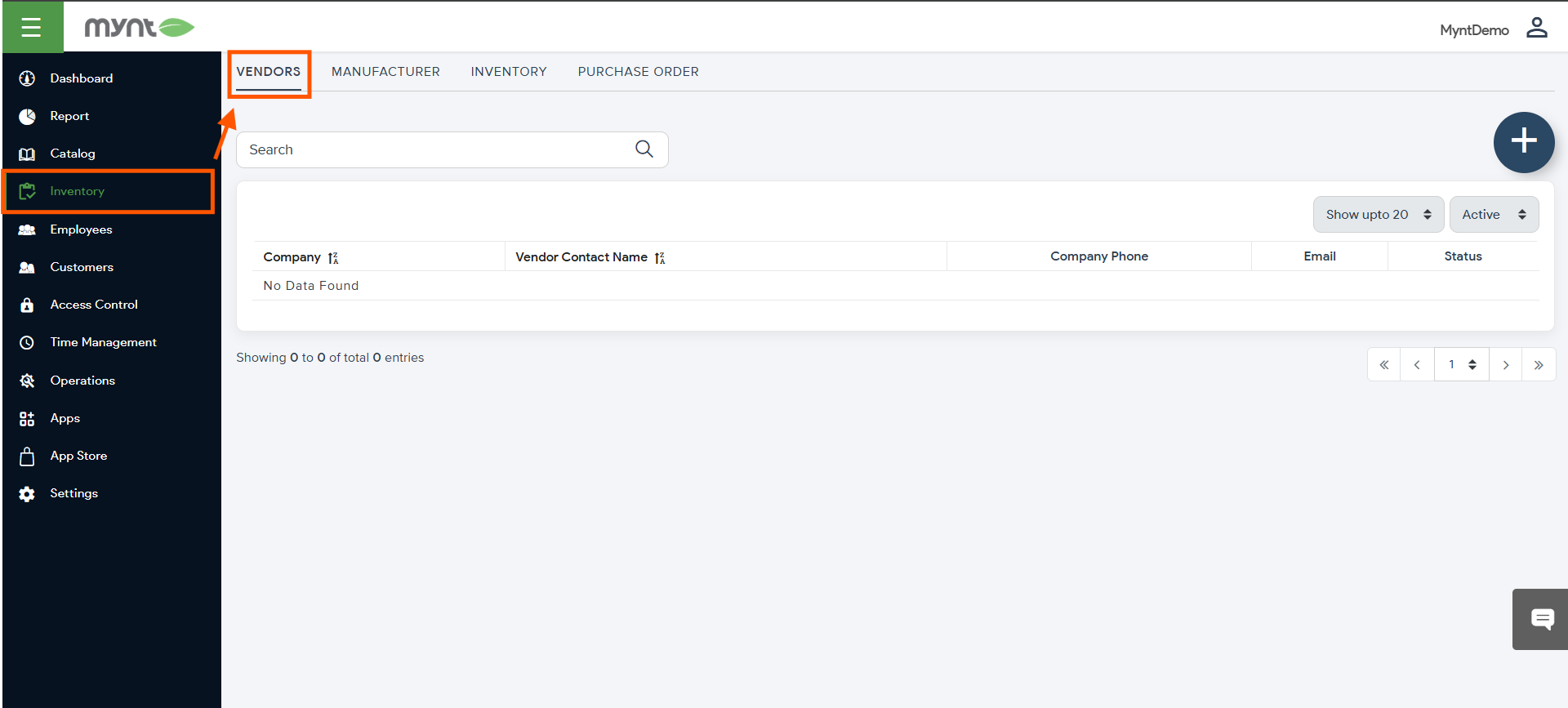
From here, you can either select and edit existing Vendors, or create new ones by pressing the + button on the right of the screen.
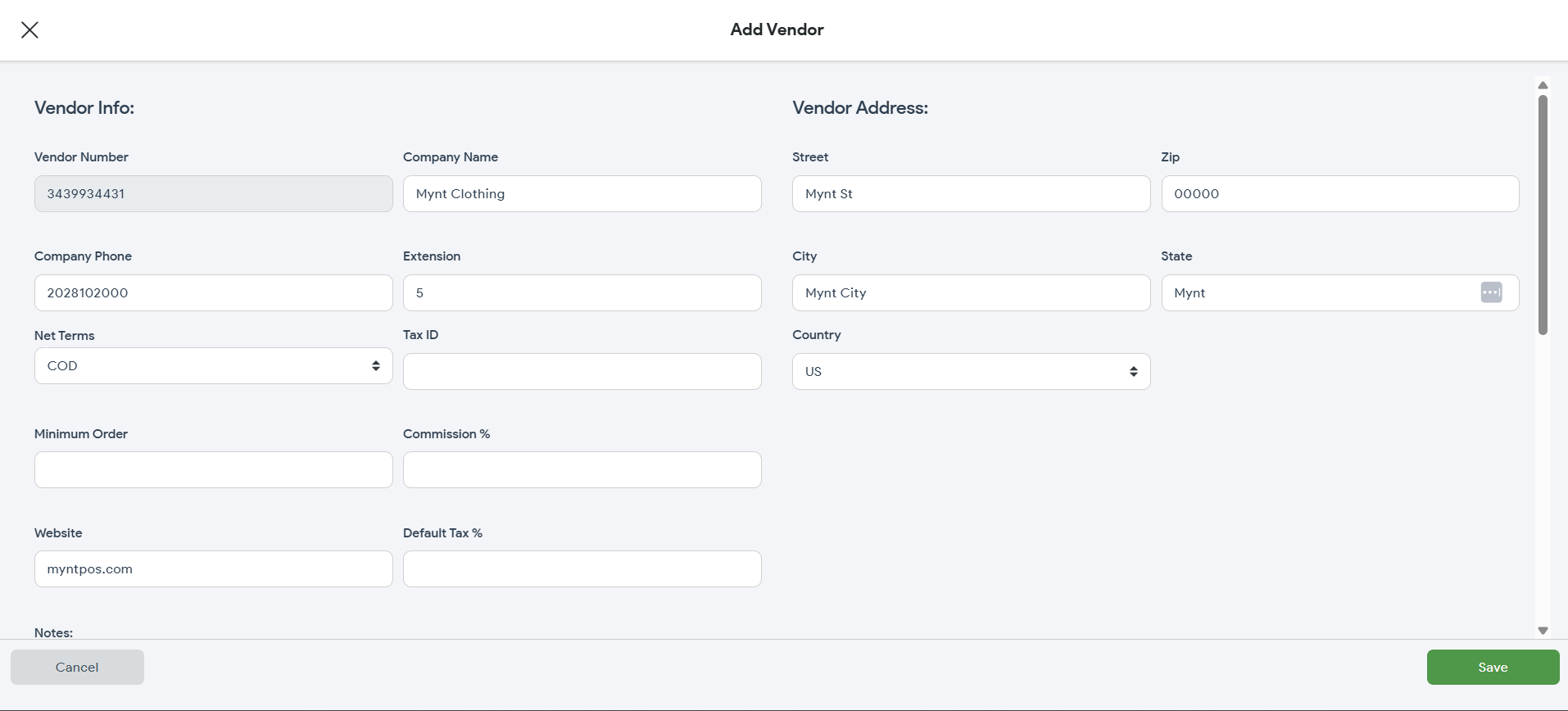
Fill out or update the information fields and press “Save”.
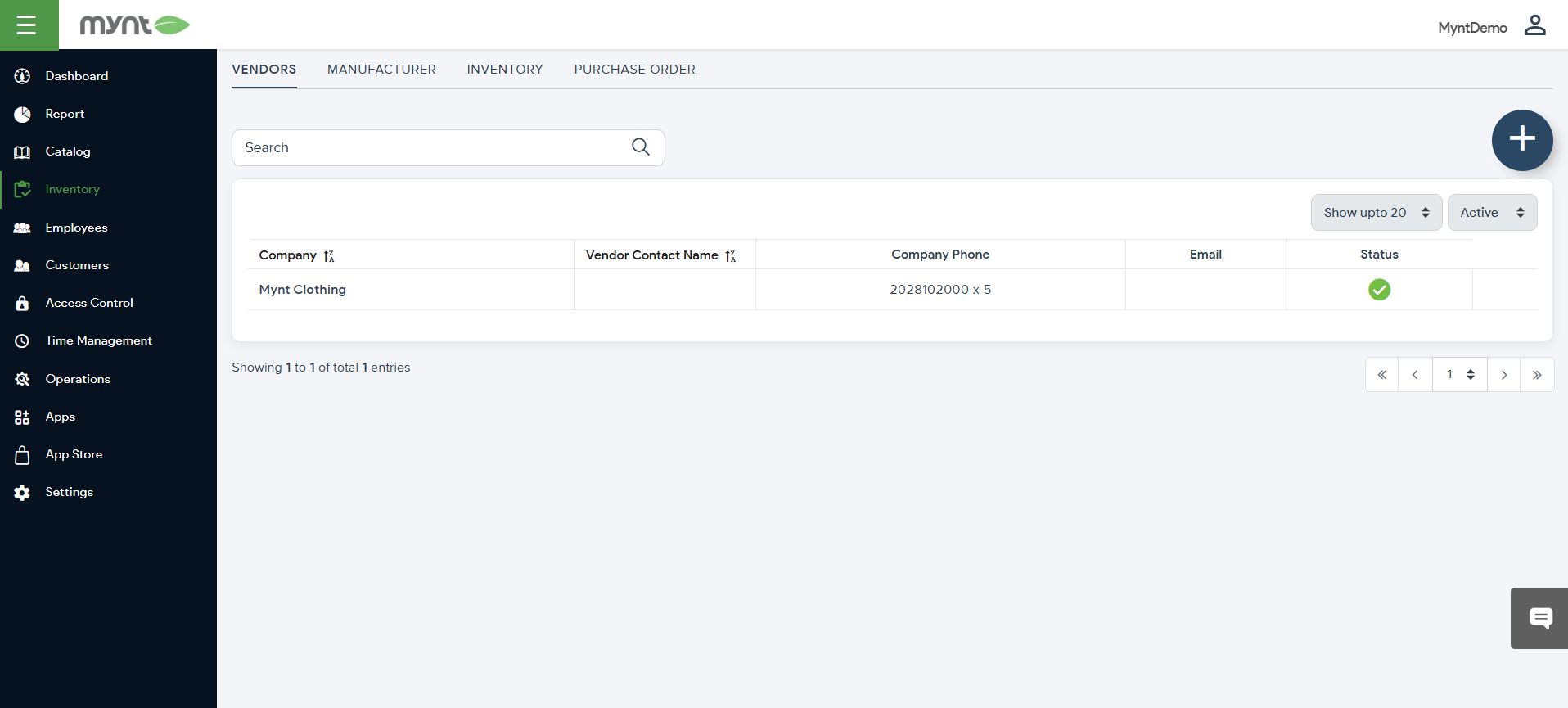
Congratulations!
You can now successfully manage Vendors!

