
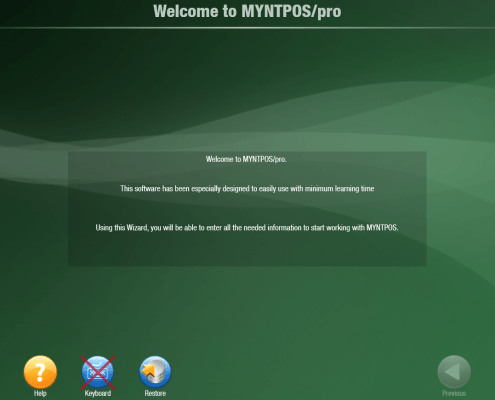
 https://myntpos.com/wp-content/uploads/2014/12/Welcome_MyntPOS1.png
870
1238
Mynt POS
/wp-content/uploads/2013/04/Mynt_Logo.png
Mynt POS2014-12-05 13:15:542015-01-07 11:33:10Mynt Software Installation Guide
https://myntpos.com/wp-content/uploads/2014/12/Welcome_MyntPOS1.png
870
1238
Mynt POS
/wp-content/uploads/2013/04/Mynt_Logo.png
Mynt POS2014-12-05 13:15:542015-01-07 11:33:10Mynt Software Installation Guide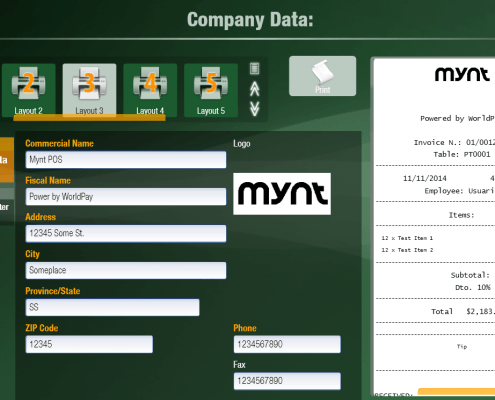 https://myntpos.com/wp-content/uploads/2014/12/Company_Data_Setup_Complete.png
745
1240
Mynt POS
/wp-content/uploads/2013/04/Mynt_Logo.png
Mynt POS2014-12-01 10:09:242015-01-02 15:03:29Entering Company Data
https://myntpos.com/wp-content/uploads/2014/12/Company_Data_Setup_Complete.png
745
1240
Mynt POS
/wp-content/uploads/2013/04/Mynt_Logo.png
Mynt POS2014-12-01 10:09:242015-01-02 15:03:29Entering Company Data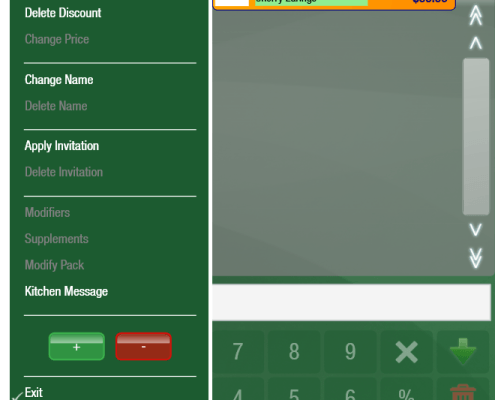 https://myntpos.com/wp-content/uploads/2014/11/Negative_Quantity.png
597
660
Mynt POS
/wp-content/uploads/2013/04/Mynt_Logo.png
Mynt POS2014-11-18 17:52:122015-01-02 14:51:52Processing a Refund
https://myntpos.com/wp-content/uploads/2014/11/Negative_Quantity.png
597
660
Mynt POS
/wp-content/uploads/2013/04/Mynt_Logo.png
Mynt POS2014-11-18 17:52:122015-01-02 14:51:52Processing a Refund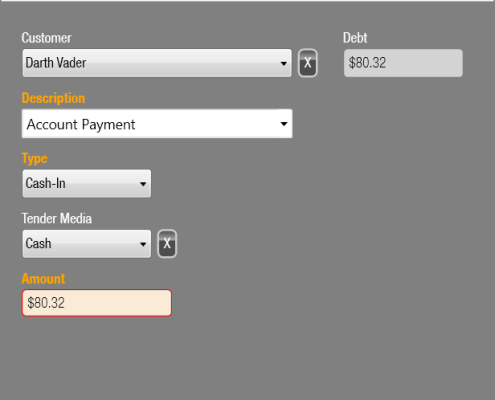 https://myntpos.com/wp-content/uploads/2014/11/New_Cash_Payment.png
624
616
Mynt POS
/wp-content/uploads/2013/04/Mynt_Logo.png
Mynt POS2014-11-17 22:40:512015-01-02 14:45:36Receiving Payment on Charge Account
https://myntpos.com/wp-content/uploads/2014/11/New_Cash_Payment.png
624
616
Mynt POS
/wp-content/uploads/2013/04/Mynt_Logo.png
Mynt POS2014-11-17 22:40:512015-01-02 14:45:36Receiving Payment on Charge Account https://myntpos.com/wp-content/uploads/2014/11/Pending_Button.png
94
103
Mynt POS
/wp-content/uploads/2013/04/Mynt_Logo.png
Mynt POS2014-11-14 22:47:002015-01-02 14:39:52Using Charge Accounts
https://myntpos.com/wp-content/uploads/2014/11/Pending_Button.png
94
103
Mynt POS
/wp-content/uploads/2013/04/Mynt_Logo.png
Mynt POS2014-11-14 22:47:002015-01-02 14:39:52Using Charge Accounts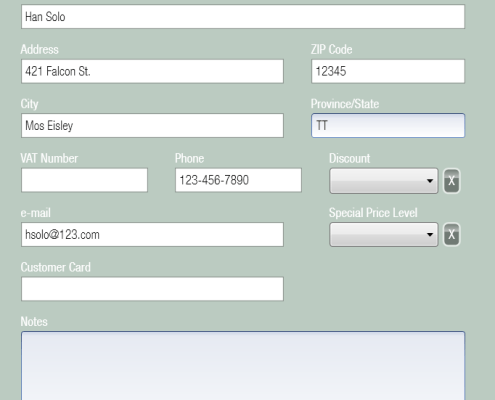 https://myntpos.com/wp-content/uploads/2014/11/New_Customer.png
933
682
Mynt POS
/wp-content/uploads/2013/04/Mynt_Logo.png
Mynt POS2014-11-14 01:56:212015-01-02 12:54:34Setting up Customers
https://myntpos.com/wp-content/uploads/2014/11/New_Customer.png
933
682
Mynt POS
/wp-content/uploads/2013/04/Mynt_Logo.png
Mynt POS2014-11-14 01:56:212015-01-02 12:54:34Setting up Customers https://myntpos.com/wp-content/uploads/2014/11/Store_Credit_Icon.png
100
99
Mynt POS
/wp-content/uploads/2013/04/Mynt_Logo.png
Mynt POS2014-11-14 01:39:502015-01-02 12:50:15Issuing Store Credit
https://myntpos.com/wp-content/uploads/2014/11/Store_Credit_Icon.png
100
99
Mynt POS
/wp-content/uploads/2013/04/Mynt_Logo.png
Mynt POS2014-11-14 01:39:502015-01-02 12:50:15Issuing Store Credit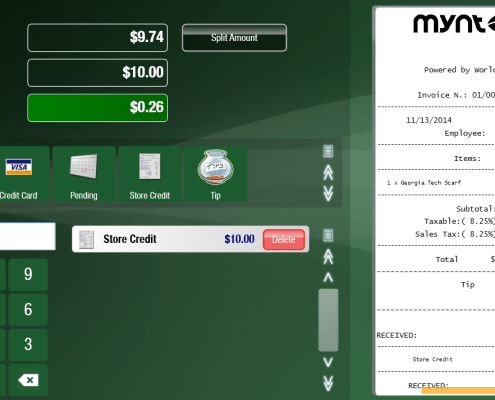 https://myntpos.com/wp-content/uploads/2014/11/Store_Credit.png
713
1234
Mynt POS
/wp-content/uploads/2013/04/Mynt_Logo.png
Mynt POS2014-11-14 01:37:582014-11-21 00:48:36Using Store Credit
https://myntpos.com/wp-content/uploads/2014/11/Store_Credit.png
713
1234
Mynt POS
/wp-content/uploads/2013/04/Mynt_Logo.png
Mynt POS2014-11-14 01:37:582014-11-21 00:48:36Using Store Credit https://myntpos.com/wp-content/uploads/2014/11/Languages_Button.png
182
177
Mynt POS
/wp-content/uploads/2013/04/Mynt_Logo.png
Mynt POS2014-11-12 17:23:352014-11-21 00:48:29Changing the Language in Mynt
https://myntpos.com/wp-content/uploads/2014/11/Languages_Button.png
182
177
Mynt POS
/wp-content/uploads/2013/04/Mynt_Logo.png
Mynt POS2014-11-12 17:23:352014-11-21 00:48:29Changing the Language in Mynt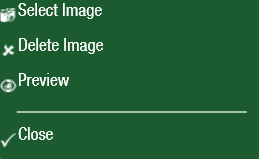 https://myntpos.com/wp-content/uploads/2014/11/Select_Image.png
159
259
Mynt POS
/wp-content/uploads/2013/04/Mynt_Logo.png
Mynt POS2014-11-12 01:49:272015-01-02 12:43:26Selecting Images
https://myntpos.com/wp-content/uploads/2014/11/Select_Image.png
159
259
Mynt POS
/wp-content/uploads/2013/04/Mynt_Logo.png
Mynt POS2014-11-12 01:49:272015-01-02 12:43:26Selecting Images